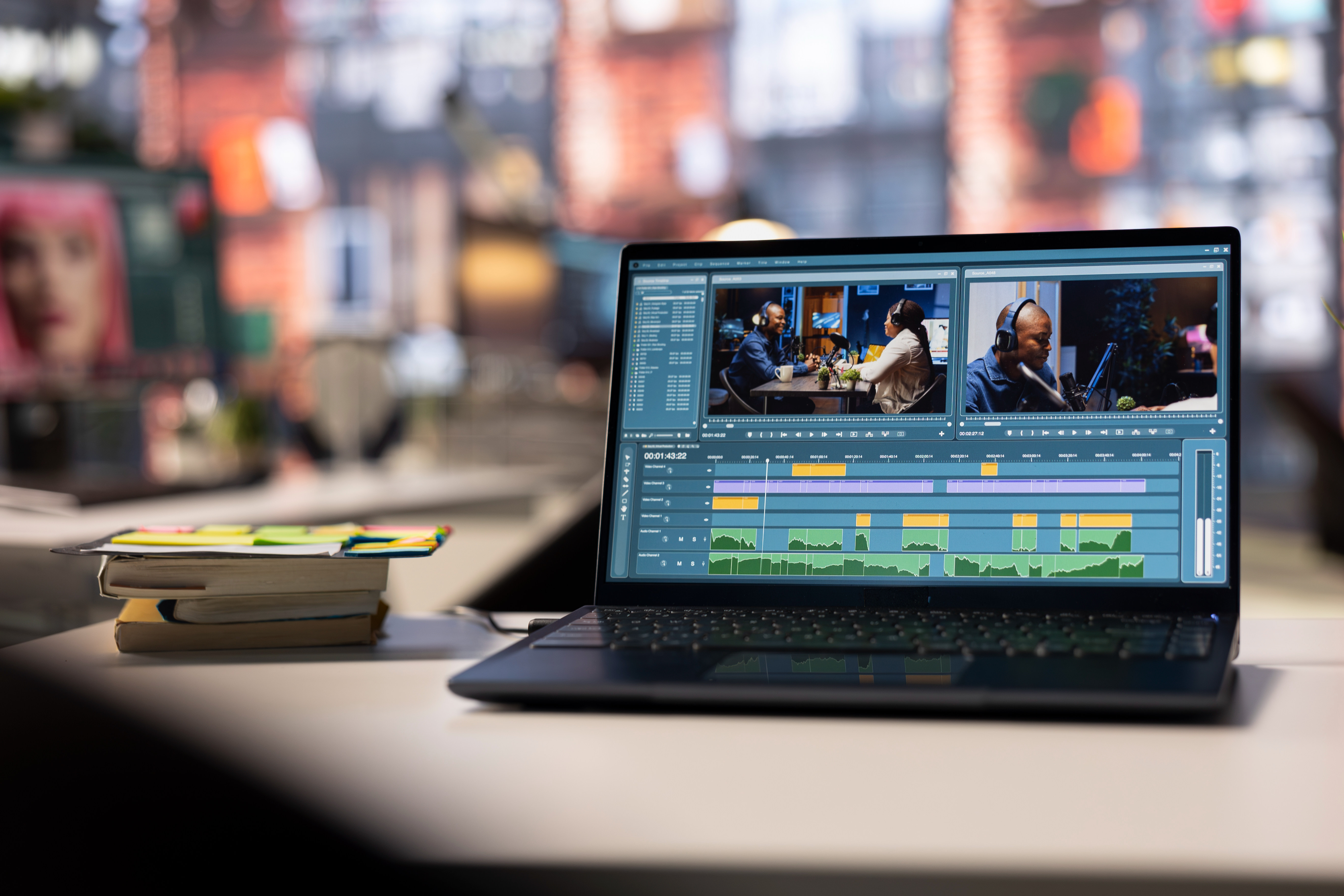
If you’re a beginner or a professional in video editing, you’ll want to choose completely different video editors. Find out why you shouldn’t be looking for the “best” video editor, but look for the one that fits your goals.
Top Windows Editing Apps for Beginner to Professional Projects
When editing videos on Windows, there’s one simple truth. The right video editing software can make your life easier or turn your every project into an editing nightmare. The tool you choose shapes your entire workflow, whether you cut your first YouTube video or work on a serious video marketing campaign.
The wrong editor can drive you crazy
As soon as you start looking for video editing software PC, it’s not just about a technical checkbox. What you pick will change many things. We’re talking about speed and how confident you feel. Most importantly, it shapes how good the final result will be. The right pick turns the whole process into something super easy. If you go with the wrong tool, even basic edits get annoying fast.
If you’re just starting out and grab the “cool” pro software, you’ll spend forever looking for buttons instead of editing. That’s a great way to kill your motivation. On the other hand, if you’re already good at making ads and tutorials, basic tools will just slow you down. That’s why “best” doesn’t always mean “most popular” when it comes to video editing software. The best one is the tool that fits your goals and doesn’t limit you.
Things you should care about when making a choice
Your skill level
If you're a beginner, what you need is a clean interface and presets. Experienced editors care a lot more about audio tools, color control, and precision. Good software shouldn't stress you out.
Type of content
What works for short social clips doesn't really work for long YouTube videos. That's exactly why format support is something you can't ignore.
Performance on your PC
What computer do you use? That's another part of the equation. On older hardware, some tools can feel slow or laggy. Older PCs work much better with lightweight editing software. Advanced tools will need stronger hardware.
Budget
There's no shortage of free editing software out there. But the question is whether they can empower your projects. Paid options often unlock better features and exports. That's the thing that matters most in professional video marketing.
The best tools that are out there
Movavi Video Editor
Do you want impeccable results without stress? Movavi is a great place to start. Basically, everything is clean and simple no long setup, ready-made presets, and you can work really fast. You just drop your clips on the timeline, add some transitions or music, and export.that’s it.
Movavi is almost always the first app people think of and look at when they need an iMovie Windows. Everything you need effects, animated titles, filters, basic color adjustments is right there, without wading through layers of menus. YouTubers, online instructors, and small business entrepreneurs this tool gives you precisely the features you want.
Lightworks
You can tell right away Lightworks isn’t messing around. For years, creators have been using it in real film and broadcast production. With all of this, it still offers a free version.
It’s simply worth your time because it’s an all-in-one editor that can take you from basic cuts to advanced projects. The interface isn’t hard, but it does take some getting used to. Give it some time, and it opens up powerful trimming, real-time effects, and detailed timeline control.
OpenShot
If you aren’t there to produce serious projects, you might want to take a look at OpenShot. Its power is that it’s free and straightforward. You get a clean layout plus basic actions like cutting, resizing, and adding transitions.
This tool isn’t trying to compete with high-end video editing software. It’s just there when you need to create simple projects, presentations, and social clips. That’s the reason why this tool feels honest and reliable.
Free Video Editor by VideoSoftDev
This one offers something that many free tools don’t. We’re talking about exports without forced branding. VideoSoftDev is a great choice for anyone who needs watermark-free video editing software.
The focus here is on the core stuff trimming, merging, cutting, and simple effects. It’s not really made for cinematic color grading. In the end, it does exactly what it says it will do.
VideoPad
When your PC is a bit outdated but you still want to edit, VideoPad is one of the safer video editing options. It looks simple, but under the hood you still get multi-track editing, effects, transitions, and audio features. There’s plenty of control to get polished results, but it won’t overload your system.
AVS Video Editor
There are tons of tools that want to stand out through unconventional interfaces. While it might catch the eye, it doesn’t turn out to be practical. On the other hand, there’s AVS Video Editor that focuses on practicality.
When you use it, everything feels familiar if you’ve ever used desktop editors before. Everything’s there: a classic timeline, built-in effects, and dependable export options. If you don’t care about flashy design, this tool is perfect for you. It just works and doesn’t surprise you. Moreover, it’s well-suited for regular editing tasks.
Shotcut
More often than not, free software can rarely impress with its features. But Shotcut is a great example of how powerful free editing tools can be. It supports many formats, advanced filters, and strong color correction tools.
You won’t see a flashy design here. However, you might get professional-level control without spending money if you’re willing to learn.
MAGIX Video Pro
This one is a serious editor that many creators use for complex projects. You get proper color grading, multi-cam editing, and full control over audio. If you’re new to editing, this probably isn’t the easiest place to start. It’s built for more serious projects commercials, documentaries, and long-form content.
Choose not the best software but the most appropriate
Bottom Line: No one can give you a single answer to what the best video editing software for Windows is. Different editors exist for a reason they're made for different tasks. It all comes down to what you know, what you want to create, and what your PC can deal with. Choose one tool and actually spend some time using it before judging.
Have questions about this article?
Ask the AI assistant anything — it has context on everything you just read.
AI Assistant
Ask about this article
I can summarize this article, explain concepts, and suggest related posts on SEOwebster.com.
Try asking